
Upgrade in 2026: The Ultimate Guide to an Office Chair with Good Back Support
Table of Contents
- Why Good Back Support Is No Longer a Luxury in 2026
- What Really Makes an Office Chair Ergonomic in 2026?
- How to Adjust Your Chair for Maximum Support in 2026
- A Buyer’s Checklist for Procuring the Right Chairs
- Creating a Healthy Work Environment Beyond the Chair
- Your Office Chair Questions, Answered
- Transform Your Workspace with Expert Guidance
That nagging backache from your desk job isn’t just a minor complaint; it’s a symptom of a much bigger problem plaguing offices across the UK. We’ve moved past the point where an office chair with good back support is a perk. It’s now a fundamental business tool, absolutely crucial for keeping your team healthy, focused, and productive.
“A bad chair is a false economy. Any initial saving is quickly erased by lost productivity, sinking morale, and even sick days. A proper ergonomic chair isn’t an expense; it’s an investment that pays for itself.”
Why Good Back Support Is No Longer a Luxury in 2026
The days of the ‘one-size-fits-all’ office chair are well and truly over. For any business in Essex or beyond looking to build a modern, forward-thinking workspace, investing in furniture that actively supports staff wellbeing is non-negotiable. Frankly, it’s what you need to do to attract and hold onto top talent.
Poor seating isn’t just about discomfort, it has very real financial consequences. Musculoskeletal issues are one of the leading causes of work-related absence, piling on significant, and entirely avoidable, costs for businesses. When your team members are in pain, their concentration plummets, and so does their output.
The scale of this is genuinely alarming. According to research by Fellowes, the UK ergonomic office equipment market was valued at £250 million in 2023 and is projected to grow substantially. Within this market, a 2025 survey from Fellowes UK found that a staggering 51% of office workers suffer from back pain directly caused by their workstations. What’s more, the research revealed that only 22% felt their employers were providing the right ergonomic equipment to protect their health.
The Link Between Chairs and Business Success
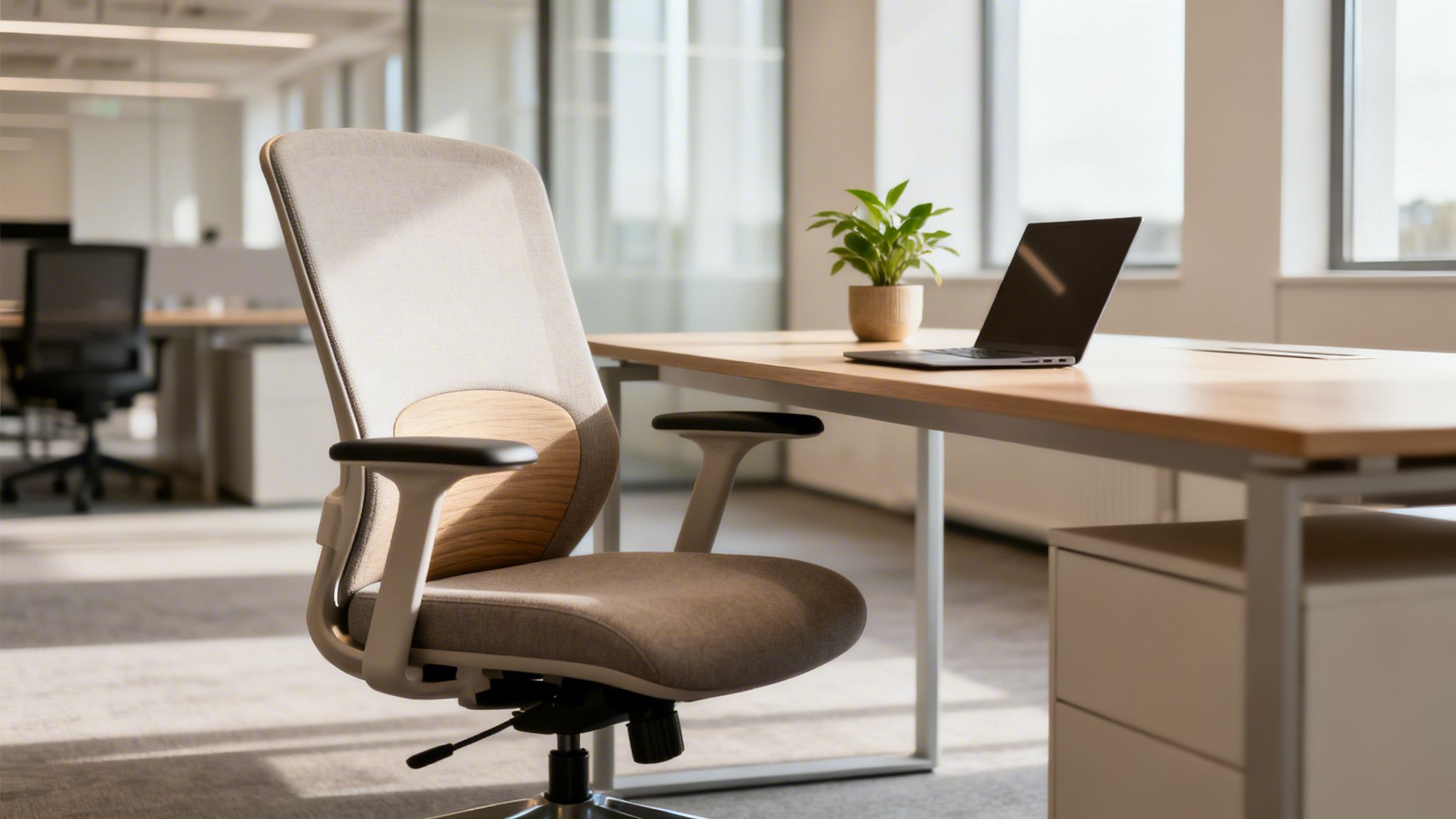
Viewing an ergonomic chair as a core business asset is simply a smart move. It sends a clear message to your team that you value their health, which does wonders for morale and loyalty. For any company planning an office fit-out, integrating proper seating from day one is essential.
It’s simple: a healthy team is a productive team. When you provide an office chair with good back support, you are directly investing in your company’s bottom line. The benefits become obvious very quickly:
- Reduced Absenteeism: You’ll see fewer sick days taken for back, neck, and shoulder pain.
- Increased Productivity: Comfortable people are far more focused and efficient. It’s as simple as that.
- Improved Staff Retention: A genuinely supportive environment makes your best people want to stay.
- Enhanced Company Image: A modern, caring workplace is a powerful magnet for new talent.
This creates a powerful cycle where employee health and business success are directly linked. We go into more detail on how to get this right when promoting wellbeing in the workplace in our dedicated article.
For businesses across Hertfordshire and the home counties, making a proactive investment in ergonomics is one of the most effective strategies for building a resilient and high-performing workforce.
What Really Makes an Office Chair Ergonomic in 2026?
So, what’s the secret behind a truly supportive office chair? It’s not just about a plush cushion; it’s about intelligent design that actively works with your body, not against it. Think of a high-quality ergonomic chair like a bespoke suit, it has to be fitted to your unique shape to provide any real, lasting benefit.
To find that perfect fit, you first need to get to grips with the non-negotiable features. These are the core elements that separate a genuinely supportive chair from a standard one. Understanding them will empower you to make a smart investment, whether you’re setting up a home office or outfitting a new company headquarters in Bishop’s Stortford.
“A chair that fits properly is more than just comfortable. It actively encourages a healthy posture, reducing strain and preventing the long-term aches and pains that kill focus and productivity.”
The Foundation of Support: Lumbar and Adjustability
The feature everyone talks about is lumbar support, and for good reason. This is the part of the chair designed to curve outwards, nestling into the natural inward curve of your lower back. Without it, the temptation to slouch is almost unavoidable, which puts enormous strain on your spine over time.
A truly great office chair will always have adjustable lumbar support. This allows you to slide it up or down, and sometimes shift it forwards or back, to perfectly match your spine’s unique curve. This one adjustment can make a world of difference in maintaining a healthy posture all day long.
But lumbar support is just one piece of a much larger puzzle. True ergonomic design is a system of adjustable components all working in harmony. Here are the essentials you should always look for:
- Adjustable Seat Height: This is the bedrock of good posture. It lets you plant your feet flat on the floor with your knees bent at a comfortable 90-degree angle.
- Adjustable Seat Depth: You need to be able to sit with your back firmly against the backrest while leaving a gap of two to three fingers’ width between the back of your knees and the seat’s edge. This simple feature is crucial for healthy blood flow.
- Adjustable Backrest Angle: The ability to recline slightly helps to relieve pressure on your spinal discs. A chair that can lock into different recline positions gives you the freedom to shift your posture throughout the day.
Before we move on, let’s break down these core features into a simple reference table. Understanding how these components work together is the key to choosing a chair that will truly support you.
Essential Ergonomic Chair Features at a Glance
| Feature | What It Does | Why It Matters for Your Back |
|---|---|---|
| Adjustable Lumbar | Provides targeted support to the natural inward curve of your lower spine. | Prevents slouching and reduces strain on the lower back muscles and spinal discs. |
| Seat Height | Allows you to position your feet flat on the floor with knees at a 90-degree angle. | Creates a stable base for your posture, aligning your hips and spine correctly from the ground up. |
| Seat Depth | Adjusts the length of the seat pan to fit your upper leg length. | Ensures your back is fully supported by the backrest without cutting off circulation behind the knees. |
This table covers the fundamentals. A chair that ticks all these boxes is already well on its way to providing excellent, long-term support.
Beyond the Basics: Armrests and Materials
Armrests are often overlooked, but they do more than just give you a place to rest your arms. They play a vital role in taking the load off your shoulders and neck. Always look for height-adjustable armrests that let your shoulders stay relaxed and your elbows bend at a comfortable 90-degree angle.
The chair’s materials also have a huge impact on both support and comfort. A breathable mesh back is great for keeping you cool and often conforms nicely to your body’s shape. Meanwhile, high-quality foam cushioning offers firm, dependable support that won’t go flat after a few months of use.
The scale of this problem is huge. Research from Fellowes UK in 2025 found that a staggering 67% of office workers blame their physical pain on their workstation. Back pain was the number one complaint at 53%, with an uncomfortable, non-adjustable chair named as a primary cause by 43% of those suffering. For managers in demanding sectors like healthcare and hospitality across places like Luton, these stats aren’t just numbers, they’re proof of the clear return on investment that comes from an ergonomic overhaul. You can dive into the full findings on the link between posture and equipment in the detailed research report.
How to Adjust Your Chair for Maximum Support in 2026
It’s one thing to invest in a great ergonomic chair, but knowing how to set it up properly is what truly unlocks its potential. An unadjusted chair, no matter how sophisticated, is just another piece of furniture. This is your hands-on guide to turning it into a personalised tool for your health and productivity.
We’ll walk you through the essential adjustments, step-by-step. Getting this right has never been more critical. Recent data from the Office for National Statistics (ONS) revealed a staggering 31% increase in UK cases of neck and back issues leading to long-term sickness since 2019.
This spike has been fuelled by the shift to hybrid working, which has left many people making do with dining chairs or even the sofa. For the facilities managers we partner with in places like Chelmsford, closing this ergonomic gap is a top priority. You can learn more about how poor setups contribute to this trend by reading the insights on back pain prevention.
“Think of chair adjustment like tuning an instrument. Each lever and dial fine-tunes the support to match your body’s unique notes, creating a harmony that prevents strain and boosts focus.”
The Step-by-Step Setup Process
Let’s get your chair dialled in perfectly. Follow these steps in order to build a supportive foundation that will see you through the workday. It only takes a few minutes, but your back will be thanking you for years.
This simple sequence ensures every key part of the chair is working for you, not against you.
- Set Your Seat Height: This is your starting point. Stand up, face your chair, and adjust the seat until its highest point is just below your kneecap. When you sit down, your feet should be flat on the floor, with your thighs roughly parallel to it.
- Check Your Seat Depth: Now, slide the seat pan forward or back. The goal is to sit with your back flush against the backrest while leaving a small gap, about two or three fingers’ width, between the front edge of the seat and the back of your knees.
- Position the Lumbar Support: This is absolutely vital for an office chair with good back support. Move the lumbar curve up or down so it fits perfectly into the natural inward curve of your lower back. It should feel like a firm, supportive cradle, not an aggressive push.
- Adjust the Armrests: Your shoulders should be completely relaxed, not hunched. Lower or raise the armrests so your elbows can rest lightly on them at a comfortable 90-degree angle while you’re typing.
- Fine-Tune the Recline: Don’t force yourself to sit bolt upright all day! Unlock the recline and find a comfortable, slightly reclined working posture (around 100-110 degrees). You can either lock it in place or set the tension so you can move and shift your weight naturally.
This infographic breaks down the core adjustments of height, depth, and backrest support, which form the foundation of a proper ergonomic setup.
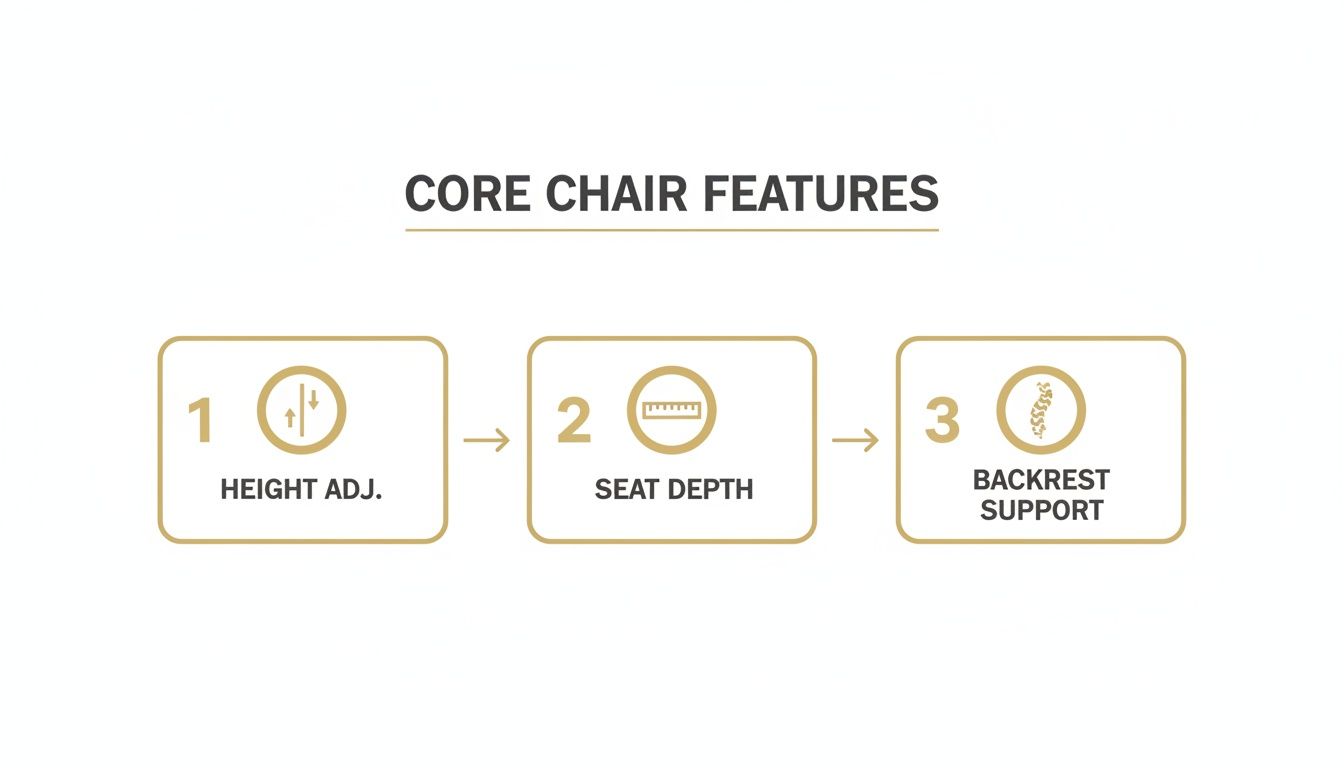
As the visual shows, these three adjustments work together to create a posture that aligns your spine, supports your legs, and stops you from slumping forward over your desk.
Common Mistakes to Avoid
Even with the best intentions, it’s easy to get the setup slightly wrong. One of the most common errors we see is setting the chair too high. This leaves your feet dangling, puts pressure on the back of your thighs, and can even restrict blood flow.
Another frequent mistake is completely ignoring the recline function. Many people lock their chairs into a rigid, 90-degree position, which actually increases the load on their spinal discs. Your body is designed for movement, and a good chair should encourage those subtle shifts in posture throughout the day.
For managers outfitting an entire office in a busy centre like London, it’s not enough to simply provide adjustable chairs. You have to show your team how to use them. A quick five-minute demonstration or a simple instruction sheet can make all the difference, ensuring your investment in employee wellbeing actually pays off.
A Buyer’s Checklist for Procuring the Right Chairs
Choosing the right office chairs for your team is a huge decision, and one that goes far beyond simply picking a colour that matches the decor. For facilities managers and business owners, this is a serious investment in your people’s health, morale, and ultimately, their productivity. This checklist will help you cut through the noise and make a choice that pays you back for years to come.
It’s all too easy to view chairs as just another line item on an expense sheet. But going for the cheapest option often costs you far more in the long run. You’ll face endless repairs, replacements, and the hidden costs of staff discomfort and lost focus. A quality chair isn’t an expense; it’s a long-term asset.
Durability and Warranty
Before you even start comparing features, get a feel for the build quality. Look for sturdy, well-engineered materials, a solid base, and mechanisms that operate smoothly. If a chair feels rickety on day one, it’s not going to stand the test of time.
The warranty tells you everything you need to know about how much confidence the manufacturer has in its own product. You should be looking for chairs that come with a comprehensive warranty of at least 5-10 years. This protects your investment and proves the supplier stands behind the chair’s ability to handle daily use.
“A long warranty isn’t just a piece of paper. It’s a clear signal that you’re buying a chair built with quality components designed to withstand daily commercial use.”
Supplier Support and Trial Programmes
Your relationship with the supplier shouldn’t end the moment the chairs are delivered. Good post-sales support is crucial, especially when you’re outfitting a larger office. Ask the important questions: Will they help with setup or provide training for your team? Do they offer ongoing maintenance and repair services down the line?
Perhaps the most valuable thing a supplier can offer is a ‘try before you buy’ programme. This lets you test-drive a few different models in your own workspace, with your own team. It’s the single best way to avoid making a costly mistake, giving your staff a real chance to feel the difference a good office chair with good back support can make.
This step is especially critical for a diverse workforce. The perfect chair for one person might be completely wrong for another. Our guide on selecting the right ergonomic chair for back pain can help you start to narrow down the best options for your team’s specific needs.
Legal Compliance and Your Duty of Care
As an employer in the UK, you have a legal ‘duty of care’ to protect the health and safety of your employees using Display Screen Equipment (DSE). This is all laid out in the Health and Safety (Display Screen Equipment) Regulations 1992. Providing suitable, adjustable seating is a non-negotiable part of meeting that obligation.
A proper DSE workstation assessment should be carried out for each user, and the chair is right at the heart of it. A chair that fails to provide the right support could mean you’re not compliant, leaving your business exposed.
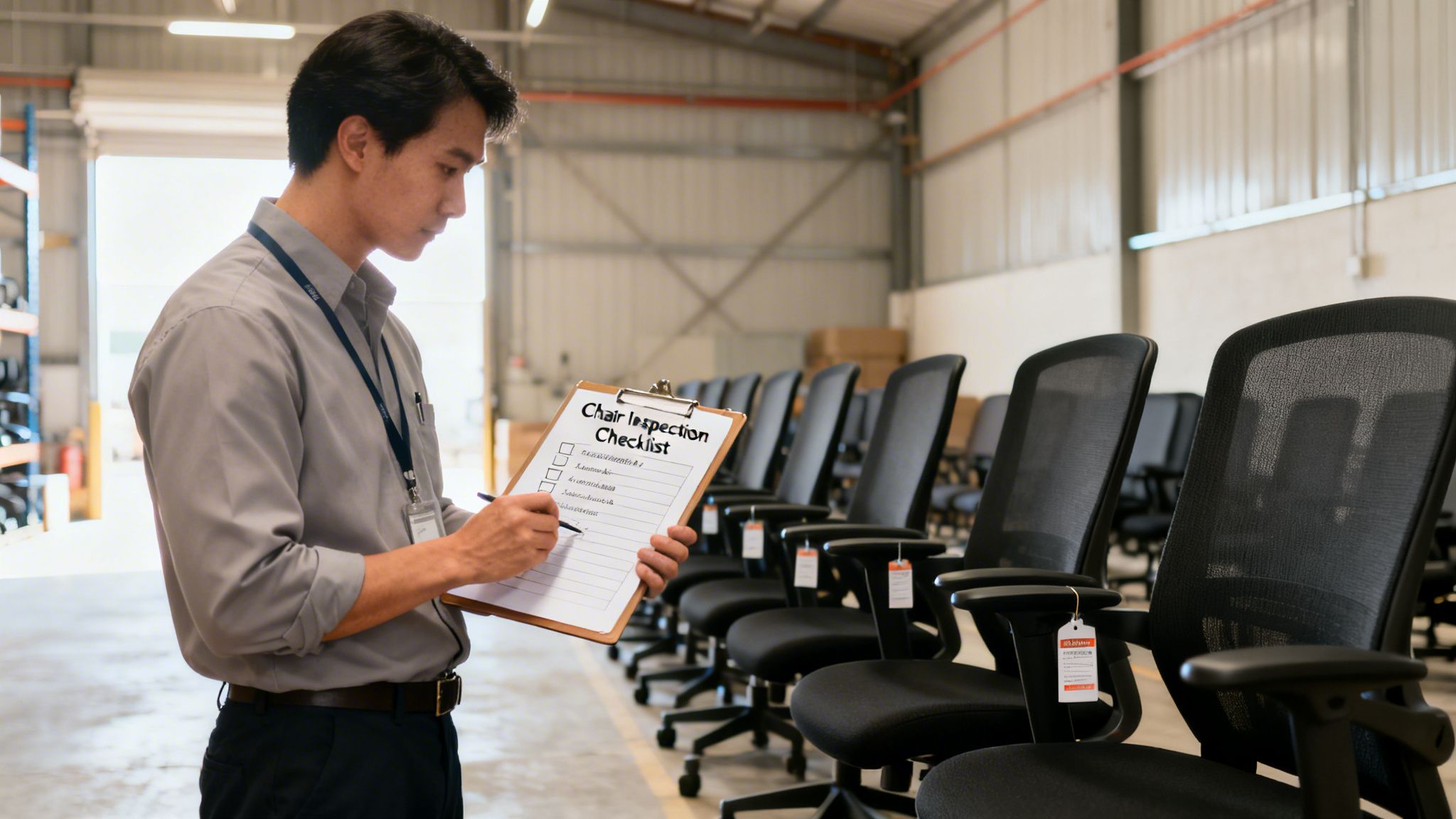
Here’s a simple checklist to guide you through the procurement process:
- Adjustability: Does the chair have the essential adjustments for height, backrest, and armrests?
- Durability: Is it built from high-quality materials and backed by a solid warranty (5+ years)?
- Suitability: Does it meet the varied needs of different users and job functions across your office?
- Supplier: Does the supplier offer trial periods, delivery, and ongoing support?
- Compliance: Does the chair help you tick all the boxes for your DSE obligations?
Making the right choice here is fundamental to creating a safe, supportive, and productive environment. This is something we focus on for all our clients, whether we’re delivering a full office refurbishment in Braintree or simply supplying furniture for a growing small business.
Creating a Healthy Work Environment Beyond the Chair
An office chair with good back support is a fantastic start, but it’s just one piece of the puzzle. To truly build a culture of wellbeing, we have to look beyond a single piece of furniture and think about the entire environment. It’s about creating a workspace that actively promotes health, not just one that happens to contain ergonomic chairs.
Even the most advanced chair in the world won’t undo the strain of sitting completely still for eight hours a day. Our bodies were built for movement. A genuinely healthy work culture is one where getting up and moving around is a natural, seamless part of the daily routine.
Encourage Movement and Breaks
We’ve seen it time and time again: small, frequent breaks are absolutely critical. This doesn’t require a huge, complicated wellness programme. Simple, consistent habits are what make the real difference in preventing the stiffness and fatigue that build up from being static all day.
Encourage your team to weave these simple actions into their day. The cumulative effect on their physical and mental health is enormous.
- Stand Up Regularly: Make it a habit to take all phone calls while standing or pacing. It’s a simple switch that immediately breaks up long seated periods.
- Stretch It Out: A few basic desk stretches for the neck, shoulders, and back can release tension before it becomes a real problem.
- Walk and Talk: Instead of booking another meeting room, why not hold informal catch-ups while taking a quick walk around the building or campus?
- The 20-20-20 Rule: To fight digital eye strain, encourage everyone to look at something 20 feet away for 20 seconds, every 20 minutes.
Complete Your Ergonomic Setup
Your chair doesn’t work in isolation. It forms a partnership with your desk and your monitor, and if any one of those elements is out of sync, the whole system breaks down.
Desk height is every bit as important as chair height. With fixed-height desks, you need to ensure they’re low enough for people to type with relaxed shoulders and straight wrists. Of course, adjustable or sit-stand desks are the gold standard, giving people the freedom to switch between sitting and standing. This is brilliant for both posture and energy levels. We’ve seen just how effective this is when our clients pair sit-stand desks with dynamic office seating arrangements.
Your monitor’s position is the final piece of this ergonomic puzzle. The top of the screen should sit at or just below eye level, and be about an arm’s length away. This simple placement stops you from craning your neck forward or slumping down to see the screen, two of the biggest culprits behind neck and shoulder pain.
Designing for Dynamic Work
This is where intelligent office design truly shines. A modern, forward-thinking workplace should offer a variety of spaces that naturally encourage people to move and work in different postures throughout the day. By providing touchdown areas, comfortable breakout zones, and quiet pods, you create a more active and engaged workforce.
For example, companies like Vetrospace design incredible modular pods that provide quiet, focused zones away from the hustle of the main desk area.
This kind of flexible, modular design gives employees the autonomy to choose the right environment for the task at hand, which in turn encourages them to get up and move between different settings.
Similarly, UK-based manufacturers like BlockO provide solutions that allow businesses in places like Cambridge to create these dynamic zones without needing disruptive construction work. It all comes back to giving people choice and control over their environment, a cornerstone of modern workplace wellbeing.
“A healthy office is a productive office. By designing spaces that encourage movement and offer choice, you’re not just improving wellbeing; you’re creating the foundation for a more engaged, focused, and effective team.”
Your Office Chair Questions, Answered
Over the years, we’ve helped countless clients find the right seating. In that time, a few questions about back support come up again and again. Here are our straightforward answers to the most common queries we hear.
How Much Should I Expect to Spend on a Chair with Good Back Support?
This is the big one, isn’t it? For a high-quality, fully adjustable ergonomic chair that’s built to last, you should budget between £400 and £1,200.
At the lower end of that scale, you’ll find chairs with all the essential adjustments you need, seat height, depth, and a solid lumbar system. As you move towards the top end, you’re paying for more sophisticated mechanisms, premium materials like high-performance mesh, and extensive warranties from leading brands.
It’s genuinely helpful to see this as an investment in your wellbeing, not just another office expense. A great chair prevents the kind of pain and lost focus that costs far more in the long run.
How Long Does a Quality Ergonomic Chair Actually Last?
A well-constructed ergonomic chair should serve you well for 7 to 15 years, though this depends on its build quality and daily use. Cheaper, off-the-shelf chairs often give up the ghost in a year or two as the foam flattens and the mechanisms start to fail.
“The warranty is always a great clue to a chair’s longevity. Look for manufacturers who back their products with a warranty of at least 5 years. Many top-tier brands we work with offer 10-12 years of coverage on parts.”
To get the most out of your chair, give it a quick once-over every six months. Tighten any loose bolts and clean the upholstery as the manufacturer suggests. That small bit of care can easily add years to its life.
Is a Mesh or a Cushioned Back Better for Support?
Honestly, both can offer fantastic support. The right choice often boils down to personal feel and your office environment. Let’s break down the differences.
| Back Type | Pros | Cons |
|---|---|---|
| Mesh | Highly breathable, conforms to your shape | Can feel less ‘plush’ or soft |
| Cushioned | Plush comfort, even pressure distribution | Can retain heat, foam quality is critical |
High-spec mesh is brilliant for ventilation, which makes a huge difference if your office tends to get warm. On the other hand, a well-designed cushioned back with high-density foam gives a firm yet comfortable feel that won’t sag over time. If you have the chance, the best way to decide is to try both.
Can a New Chair Fix My Existing Back Pain?
A new ergonomic chair is a fantastic tool for managing and preventing pain, but it’s important to be realistic. It can provide immediate relief by taking the strain off your back, creating the right conditions for your body to heal.
However, a chair is most effective as part of a bigger picture. For businesses we partner with in Dartford, we always advise that great chairs should be combined with a culture of movement, regular stretching, and, where needed, professional medical advice. A chair supports good posture; it doesn’t create it on its own.
Transform Your Workspace with Expert Guidance
We’ve walked through what makes an office chair with good back support a cornerstone of any modern, productive workplace. From deciphering the core features to mastering the adjustments for that perfect, personal fit, you’re now equipped with the insight to make a real difference for yourself and your team.
Choosing the right chair isn’t just about comfort; it’s a powerful first step. You’re building a healthier, more focused, and more engaged workforce. Investing in ergonomics is, quite simply, a direct investment in your people’s wellbeing and your company’s future.
But we get it. Turning this knowledge into a full-blown workplace transformation can feel like a massive undertaking. It doesn’t have to be. With the right partner, you can bring your vision for a better work environment to life, smoothly and without the headache.
Take the Next Step in 2026
If you’re ready to create a healthier and more effective workspace in Hertfordshire, or perhaps an office refurbishment in Essex, our team has the hands-on expertise to guide you. We specialise in transforming offices by putting employee wellbeing right at the heart of the design.
Ready to transform your workspace? Speak to the Gibbsonn Interiors team today.
We can help you navigate the entire process. That could mean selecting the perfect ergonomic furniture or completely redesigning your layout for a better flow of work and ideas. It’s all about creating a space that doesn’t just look impressive, but actively supports the people using it every single day.
Looking for bespoke ergonomic solutions or wider interior support? We’re here to help you build an environment that drives productivity and shows a genuine commitment to your team’s health.
Ready to start the conversation? Get in touch with the Gibbsonn Interiors team for a no-obligation consultation, and let’s explore how we can bring your ideal workspace to life.