
An ergonomic chair for back pain is engineered from the ground up to support the natural ‘S’ curve of your spine. This isn’t just about comfort, it’s about promoting good posture and taking the strain off your back, shoulders and neck. Unlike a one-size-fits-all office chair, a truly ergonomic model gives you control with adjustable features like lumbar support, seat depth and armrests. These elements work together to align your body correctly, making long periods of sitting far less taxing.
Table of Contents
- Your First Defence Against Workplace Back Pain
- Decoding The Features Of A Truly Ergonomic Chair
- Setting Up Your Chair For Optimal Back Support
- Integrating Ergonomics Into Your Broader Office Design
- The Business Case For Investing In Ergonomic Seating
- Your Questions About Ergonomic Chairs Answered
Your First Defence Against Workplace Back Pain
Work-related back pain is more than a niggle. For many UK businesses, it’s a serious drain on productivity, focus and overall team morale. The culprit is often hiding in plain sight: the standard-issue office chair, which can subtly force the body into unnatural and stressful positions hour after hour.
This constant, low-level strain leads to poor posture, chronic discomfort and even long-term musculoskeletal issues. It helps to think of a standard chair as a rigid frame your body has to conform to. An ergonomic chair flips that idea on its head, it’s a dynamic tool designed to conform to your body and move with you.
Understanding The Impact Of Poor Seating
The numbers don’t lie. In the UK, back pain is not just common but it’s the leading cause of disability, and musculoskeletal disorders are behind a staggering 40% of all work-related ill health cases.
Poor seating is a massive risk factor here, contributing to an estimated 1.7 million working days lost to back pain every year. This single statistic shows just how mission-critical the right furniture really is. The right chair is a foundational investment in a healthier, more focused team.
It’s not just about feeling comfortable. It’s about creating an environment where your people can do their best work without physical pain getting in the way. For businesses we work with in Bishop’s Stortford and Cambridge, we see firsthand how thoughtfully chosen seating can completely transform an office atmosphere.
“An ergonomic chair is less a piece of furniture and more a high-performance tool for the modern worker. It actively supports the body’s needs, which in turn supports concentration and productivity.”
More Than Just A Chair, A Business Asset
Shifting your mindset to see ergonomic seating as a crucial business asset is the first step towards a healthier, more productive office. The positive ripple effects extend far beyond an individual’s comfort and influence your entire organisation.
Investing in a proper ergonomic chair for back pain delivers several key advantages:
- Reduced Absenteeism: By tackling a common cause of sick days head-on, you keep your team more consistently present and productive.
- Improved Employee Morale: Providing tools that genuinely support wellbeing sends a powerful message that you care, fostering a positive company culture.
- Enhanced Productivity: When your team isn’t distracted by aches and pains, they can dedicate their full attention to the tasks at hand.
This proactive approach to workplace health is a non-negotiable part of modern office design. You can see how this fits into the bigger picture in our office space planning checklist. At the end of the day, the right chair is a smart investment in your most valuable asset: your people.
Decoding The Features Of A Truly Ergonomic Chair
When you’re looking for an ergonomic chair for back pain, it’s easy to get lost in a sea of marketing buzzwords. But here’s the thing: a genuinely supportive chair isn’t about the price tag or the fancy brand name. It’s about a handful of specific, adjustable features working together to support your body properly.
Once you know what these core components are, you can cut through the noise and assess any chair with an expert eye. For businesses in London or Hertfordshire, getting this right isn’t just about buying furniture, it’s an investment in a tool that actively prevents discomfort and keeps your team focused. Let’s break down the absolute must-haves.
Adjustable Lumbar Support
Picture the natural inward curve of your lower back. It’s a bit like the arch of a bridge, it needs proper support to stop it from flattening and straining under the pressure of a long day. This is exactly what adjustable lumbar support is for.
It’s far more than just a simple cushion. It’s a dynamic support system designed to fill the gap between your lower back and the chair. Any decent ergonomic chair must have lumbar support that you can adjust for both height and depth. This is non-negotiable, as it allows every user to position the support perfectly in the small of their back, essentially providing scaffolding for the spine and preventing that all-too-common slouch that leads to nagging pain.
“It’s well-established that adjustable lumbar support is critical for maintaining a neutral spine posture. It takes a huge amount of pressure off your spinal discs, which is one of the biggest factors in preventing and easing mechanical lower back pain.”
Seat Depth And Width
Proper seat depth is all about letting you use the backrest fully while still leaving a small gap, about a fist’s width, between the edge of the seat and the back of your knees. This little detail is crucial for healthy circulation and stops you from putting pressure on the nerves behind your legs.
If a seat is too deep, you’ll find yourself slouching forward to keep your feet on the floor, which completely defeats the purpose of the backrest. Too shallow, and your thighs won’t get enough support. An adjustable seat pan, which lets you slide the seat forward or back, is the solution here. It’s a must-have for fitting the chair to different leg lengths and accommodating everyone on your team.
Dynamic Armrest Adjustability
Armrests aren’t just somewhere to park your elbows. They play a vital role in taking the load off your neck and shoulders. When your arms are hanging unsupported, the muscles in your upper back and neck are constantly firing to hold them up, which is a fast track to stiffness and tension headaches.
The best ergonomic chairs have multi-directional armrests that can be adjusted for:
- Height: To line up with your desk, letting your shoulders completely relax.
- Width: To bring the supports closer to your body, so your elbows aren’t awkwardly splayed out.
- Depth: To slide forward or back, giving you support whether you’re typing up-close or leaning back to think.
This level of customisation stops that common hunching posture that contributes so much to upper back pain. It’s an essential feature for any modern office, from a fast-paced hub in Stansted to a quiet, focused workspace in Braintree.
Advanced Tilt Mechanism
The ability to recline isn’t just for taking a break. A good tilt mechanism encourages what we call “dynamic sitting”, small, frequent movements throughout the day that are absolutely vital for spinal health. Staying in one position for too long, even a ‘good’ one, will always lead to muscle fatigue.
Keep an eye out for a synchronous tilt mechanism. This is where the backrest and seat tilt together but at different ratios, opening up your posture as you lean back. This simple movement improves blood flow and reduces spinal pressure, all without your feet leaving the floor. The chair should also have an adjustable tension control, so the recline feels supportive and controlled, not like you’re about to tip over. This feature is what turns a chair from a static object into an active tool for back health.
Ergonomic Chair Feature Checklist
Use this quick-reference table to assess the key features of any ergonomic chair during your procurement process.
| Feature | What to Look For | Why It Matters for Back Pain |
|---|---|---|
| Lumbar Support | Height and depth adjustability | Prevents slouching and reduces lower back pressure. |
| Seat Depth | Sliding seat pan | Ensures full backrest contact and avoids nerve compression. |
| Armrests | 3D or 4D adjustability | Reduces strain on shoulders, neck and upper back. |
| Tilt Mechanism | Synchronous tilt with tension control | Encourages movement and distributes body weight. |
| Breathable Materials | Mesh back or high-quality fabric | Prevents heat build-up which increases discomfort. |
Getting these features right means you’re well on your way to selecting a chair that genuinely supports wellbeing.
Breathable And Supportive Materials
Finally, let’s not forget the materials themselves. They play a huge part in both comfort and long-term support. A high-quality mesh back, for example, gives firm yet flexible support while allowing for great airflow. This stops heat and moisture from building up, which often leads to discomfort and fidgeting, forcing you into poor postures without you even realising it.
The seat cushion should be made from high-density foam that spreads your weight evenly and doesn’t “bottom out” after just a few hours of use. When you combine a solid, supportive structure with comfortable, breathable materials, you get a chair that remains an effective tool for preventing back pain all day, every day.
For expert advice on choosing the right furniture for your teams in Essex or beyond, our team is always here to help you navigate the options.
Setting Up Your Chair For Optimal Back Support
Getting a top-tier ergonomic chair for back pain is a brilliant first move, but it’s only half the job. To really feel the benefits and find relief from nagging discomfort, that chair needs to be dialled in perfectly for your body and your desk setup. An improperly adjusted chair can cause just as many problems as a cheap one, so taking a few minutes to get it right is a serious investment in your team’s wellbeing.
Think of it less like assembling furniture and more like getting a suit tailored. A few small tweaks make all the difference and ensure a perfect fit that provides support all day long. The aim here is to find that sweet spot: a balanced, aligned posture that takes the strain off your body.
The Foundation: Your Seat Height
First things first, let’s sort out the height. This is the cornerstone of a good setup because everything else builds from here.
You’re aiming for a position where your feet are flat on the floor and your knees are at a comfortable 90-degree angle, with your thighs running parallel to the ground. If your feet are swinging, it’s too high. If your knees are pointing up towards your chest, it’s too low. Getting this right immediately helps distribute your weight properly and takes a huge amount of pressure off your lower back.
Positioning The Seat Depth
Next up is the seat pan depth. Get the user to sit right back in the chair, so their lower back is making firm contact with the backrest. Now, look at the space between the front edge of the seat and the back of their knees.
There should be enough room to slide two or three fingers in that gap. This little bit of space is crucial, it stops the seat from digging in and cutting off circulation to the legs. If the seat is too deep, they’ll have to perch on the edge and lose all that lovely back support. Too shallow, and their thighs won’t be properly supported.
Fine-Tuning Your Lumbar Support
This is the adjustment that directly targets lower back pain. The lumbar support on an ergonomic chair is designed to nestle into the natural curve of the spine, right around belt level.
Most decent chairs will have lumbar support that moves up and down and sometimes in and out. Spend a moment getting it just right, so it feels like it’s gently but firmly holding the small of your back. It shouldn’t feel like it’s pushing you out of the chair but there shouldn’t be any empty space either. As the UK’s Health and Safety Executive (HSE) points out, proper back support is a non-negotiable for preventing musculoskeletal issues.
This visual guide breaks down the core adjustments for a pain-free setup, focusing on lumbar support, seat depth and armrests.
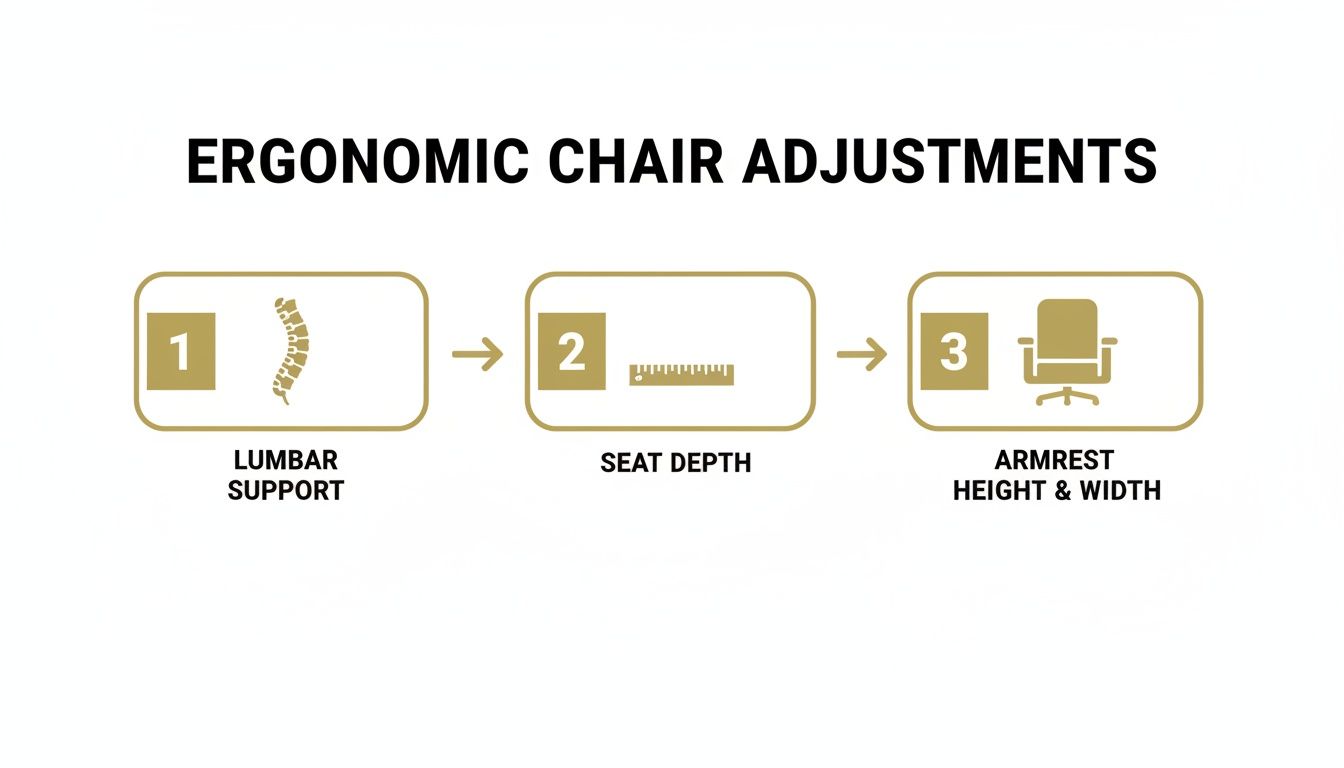
Mastering these three key adjustments provides a strong foundation for maintaining a healthy posture and significantly reducing back strain throughout the workday.
Setting Your Armrest Height
Last but not least, the armrests. Their job is simple: to take the weight of your arms off your shoulders and neck, stopping that all-too-familiar tension from building up.
The armrests should be positioned so your elbows can rest on them at a 90-degree angle while your shoulders are totally relaxed and down. If they’re too high, they’ll force the shoulders to hunch up towards the ears. Too low, and you’ll end up leaning to one side to use them, which defeats the whole purpose.
“Remember: An ergonomic chair is a dynamic tool, not a static one. Encourage staff to make small tweaks throughout the day as they move between tasks. The perfect setup is one that feels supportive but still allows for natural, gentle movement.”
Integrating Ergonomics Into Your Broader Office Design
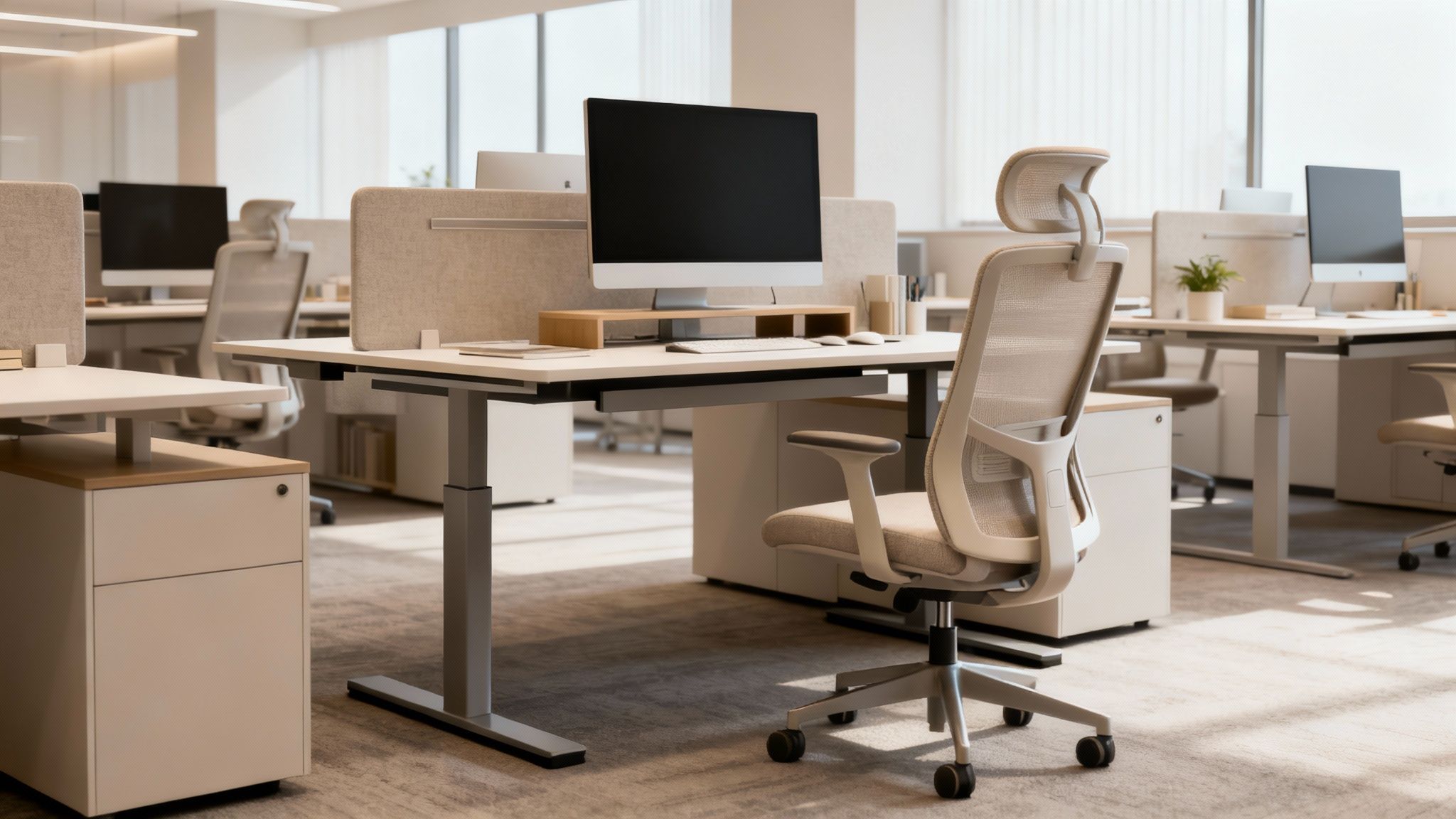
A top-tier ergonomic chair for back pain is a game-changer but it can’t do the job alone. To truly build a healthy, productive workspace, you have to look at the entire ecosystem. Think of it this way: a single great chair in a poorly designed office is like putting one high-performance tyre on a family car. It helps, but you’re not getting anywhere near its full potential.
A truly ergonomic environment is a complete system where every piece works in harmony. The chair is the foundation, but its relationship with the desk, monitor and even the flow of the office is what unlocks real, lasting benefits. For any business in Chelmsford or Braintree planning a healthier office fit-out, thinking about this complete picture is absolutely vital.
Creating The Ergonomic Triangle
The most immediate connection your chair has is with the desk and screen. Getting this “ergonomic triangle” right is non-negotiable for preventing the neck, shoulder and back strain that plagues so many office workers. It’s all about creating a setup where a neutral, supported posture feels completely natural.
Here’s how these three elements must work together:
- Desk Height: Once the chair is set correctly, the desk should allow forearms to rest parallel to the floor when typing. Elbows should be at a comfortable 90-degree angle. This is where adjustable sit-stand desks really prove their worth.
- Monitor Placement: The screen needs to be directly in front of the user, roughly an arm’s length away. Critically, the top of the monitor should be at or just below eye level to stop people from craning their neck up or hunching down.
- Workflow and Layout: How do people actually move and work? Are printers, files or other shared equipment easy to get to without awkward twisting? A well-planned layout encourages natural movement and cuts down on repetitive, stressful motions.
“A truly supportive workspace is a sum of its parts. It’s where the chair, desk and technology all align to support the user’s body, rather than forcing the user to adapt to the furniture.”
Beyond The Individual Workstation
But true ergonomics doesn’t stop at the desk. As workplace design specialists serving areas like London, we know that a healthy office is one that encourages movement and variety. Staying in one position all day, even a good one, is a recipe for fatigue and discomfort. This is precisely why a modern office design needs to incorporate different kinds of work zones.
This means creating spaces that support different tasks and postures throughout the day. Think about integrating standing-height collaboration tables, comfy soft seating areas for informal chats and quiet focus pods. Giving your team these options encourages them to change their position regularly, which is a cornerstone of modern workplace ergonomics.
By viewing the ergonomic chair for back pain as the anchor of a much broader strategy, you create an environment that is genuinely supportive. This holistic approach not only tackles back pain head-on but also boosts focus, morale and overall productivity. You can learn more about how these ideas contribute to overall wellbeing in the workplace in our detailed guide.
The Business Case For Investing In Ergonomic Seating
It’s easy to see a high-quality ergonomic chair for back pain as just another line item on the expense sheet. But that’s a mistake. The right seating is a strategic business decision with a clear, measurable return. While the upfront cost is certainly higher than your average office chair, the long-term gains in productivity, wellbeing and even legal compliance far outweigh the initial spend.
Think of it this way: a quality chair isn’t a perk, it’s a productivity tool. When your team isn’t constantly fidgeting, stretching and battling the distraction of a nagging backache, they can focus properly on their work. This leads directly to better output, fewer mistakes and a workforce that’s genuinely present and engaged.
Reducing The Hidden Costs Of Absenteeism
Back pain is one of the biggest culprits behind sickness absence in the UK. Time and again, research shows that musculoskeletal problems, often made worse by sitting in a bad chair for eight hours a day, are responsible for millions of lost working days each year. Every single one of those days costs your business in lost output and delayed projects.
Investing in genuinely supportive seating is one of the most proactive steps you can take to tackle this problem at its root. By taking the physical strain off your team, you can directly lower the rates of back-related absenteeism. It’s a simple equation: fewer sick days means your most skilled people are at their desks, driving the business forward.
“A study by the World Health Organization flags low back pain as a primary cause of work-related disability across the globe. Getting the right ergonomic equipment isn’t just a ‘nice to have’ for wellbeing, it’s fundamental for keeping your operations running smoothly.”
Boosting Productivity And Employee Retention
It’s a simple truth: comfortable people are productive people. When your staff aren’t constantly trying to find a position that doesn’t hurt, their focus stays where it needs to be, on their tasks. Studies have consistently shown that thoughtful ergonomic changes can create a real, measurable bump in both individual and team productivity.
But there’s more to it than that. Providing high-quality, supportive equipment sends a clear signal that you value your team’s health. In today’s competitive job market, that message matters. A positive, supportive environment is a huge driver of employee satisfaction and loyalty, which in turn reduces the eye-watering costs that come with high staff turnover. To dig deeper, check out our guide on how to improve workplace productivity.
Ensuring Health And Safety Compliance
As a UK employer, you have a legal duty of care to protect the health, safety and welfare of your employees. This responsibility is spelled out by the Health and Safety Executive (HSE) and specifically includes those who use Display Screen Equipment (DSE) as a major part of their job.
Providing properly adjustable, ergonomic seating is a cornerstone of meeting these DSE regulations. Getting this wrong can leave your business exposed to compensation claims and unwelcome attention from regulators. A well-designed ergonomic strategy, with the right chair at its heart, means you’re not just looking after your people but you’re fulfilling your legal obligations as an employer.
Ultimately, investing in the right chairs is a smart, data-backed decision that pays you back in productivity, staff retention and legal peace of mind. It’s an investment that strengthens the very foundation of your business: your people.
Your Questions About Ergonomic Chairs Answered
Even after getting to grips with all the features and benefits, choosing the right ergonomic chair for back pain often brings up a few practical questions. As specialists who spend our days creating productive workspaces for businesses across the UK, we hear the same queries from office managers and decision-makers time and time again.
This final section is dedicated to answering those common, real-world questions. We’ll offer some clear, straightforward advice to help you clear up any confusion, lock in the key takeaways and feel confident you’re making the right choice for your team.
How Often Should We Replace Our Office Chairs?
This is a great question because it immediately shifts the thinking from a one-off purchase to long-term asset management. A high-quality, commercial-grade ergonomic chair is certainly built to last, but it won’t last forever. You can generally expect a lifespan of around seven to ten years with regular, daily use.
However, the calendar isn’t the only thing you should be watching. It’s far more important to look for the tell-tale signs of wear and tear that show a chair is no longer providing the support it was designed for.
Keep an eye out for these key indicators:
- A Failing Gas Lift: If a chair slowly sinks during the day or refuses to hold its height, the gas cylinder is on its way out. This is a clear sign the chair needs replacing, as it can no longer be adjusted correctly.
- Compressed Cushioning: The foam in the seat should feel firm and supportive. If it’s gone flat, feels hard or has completely “bottomed out,” it’s not distributing weight properly anymore and can create painful pressure points.
- Wobbly or Loose Parts: Give the armrests, base and backrest a good check. Any excessive movement means the chair is not just unsupportive but could soon become a safety hazard.
- Visible Damage: Cracks in the base, frayed fabric or broken adjustment levers are all obvious signs that a chair has reached the end of its useful life.
Putting a simple replacement schedule in place based on these signs is a smart move. It ensures your team always has the support they need and helps you budget for furniture updates in a planned, predictable way.
“A proactive replacement policy is a key part of maintaining a healthy and safe work environment. It shows a commitment to employee wellbeing that goes beyond the initial purchase and helps you comply with ongoing DSE obligations.”
Are Expensive Ergonomic Chairs Really Worth The Investment?
This is probably the most common question we get and the answer is a resounding yes, but it’s important to understand why. The price gap between a budget chair and a premium ergonomic model isn’t about branding, it’s about engineering, durability and the quality of the adjustments.
A higher-end ergonomic chair for back pain is a long-term investment in your team’s health and productivity. Think of it in terms of cost-per-day-of-use. A £150 chair that fails in two years and provides poor support actually costs far more in lost productivity and replacements than a £500 chair that lasts a decade and actively prevents discomfort.
Here’s where that extra investment goes:
- Build Quality and Materials: Premium chairs use higher-grade materials, from the high-density foam in the seat to the robust steel or aluminium in the base and mechanisms. This means they can stand up to the demands of a busy office for years on end.
- Warranty and Support: Reputable manufacturers back their products with long warranties, often covering parts for up to 10 years. This is a massive vote of confidence in the chair’s durability.
- Adjustment Range: A more expensive chair will almost always offer a greater range and precision of adjustment. This is what ensures you can find a perfect fit for a much wider variety of body shapes and sizes within your team.
For businesses in competitive areas like Cambridge or London, providing top-quality equipment is also a major factor in attracting and retaining talent. It sends a clear signal that you genuinely invest in your people.
Can An Ergonomic Chair Completely Fix Back Pain?
It’s crucial to set realistic expectations here. An ergonomic chair is an incredibly powerful tool for preventing and alleviating work-related back pain, but it isn’t a magic cure for pre-existing medical conditions. According to the World Health Organization, back pain is a complex issue and tackling it properly requires a much broader approach.
Think of the chair as the most important piece of a larger puzzle. It provides the foundational support needed for good posture during the long hours we spend sitting but its effectiveness is hugely magnified when it’s part of a holistic workplace wellness strategy.
This means combining the right chair with other positive habits and environmental factors, such as:
- Regular Movement: Encouraging staff to get up, stretch and walk around at least once an hour is vital. Even the best chair can’t counteract the negative effects of being completely static all day.
- Correct Workstation Setup: Ensuring monitors are at eye level and desks are at the right height is just as important as the chair itself. The whole setup needs to work in harmony.
- Wider Office Design: Creating an environment with different work zones, like standing-height tables or soft seating areas, encourages natural changes in posture throughout the day.
At Gibbsonn Interiors, we help businesses in locations from Bishop’s Stortford to London design complete, healthy workspaces that go far beyond just one piece of furniture. An ergonomic chair is the star player but it performs best when it has a strong supporting team.
Ready to transform your workspace? Speak to the Gibbsonn Interiors team today. We’re here to help you find the perfect ergonomic solutions for your business.